
In this release, we’re excited to announce support of custom variables while creating a new template. You will be able choose from the list of custom variables available at the Sub-Account level while creating the template for approval.
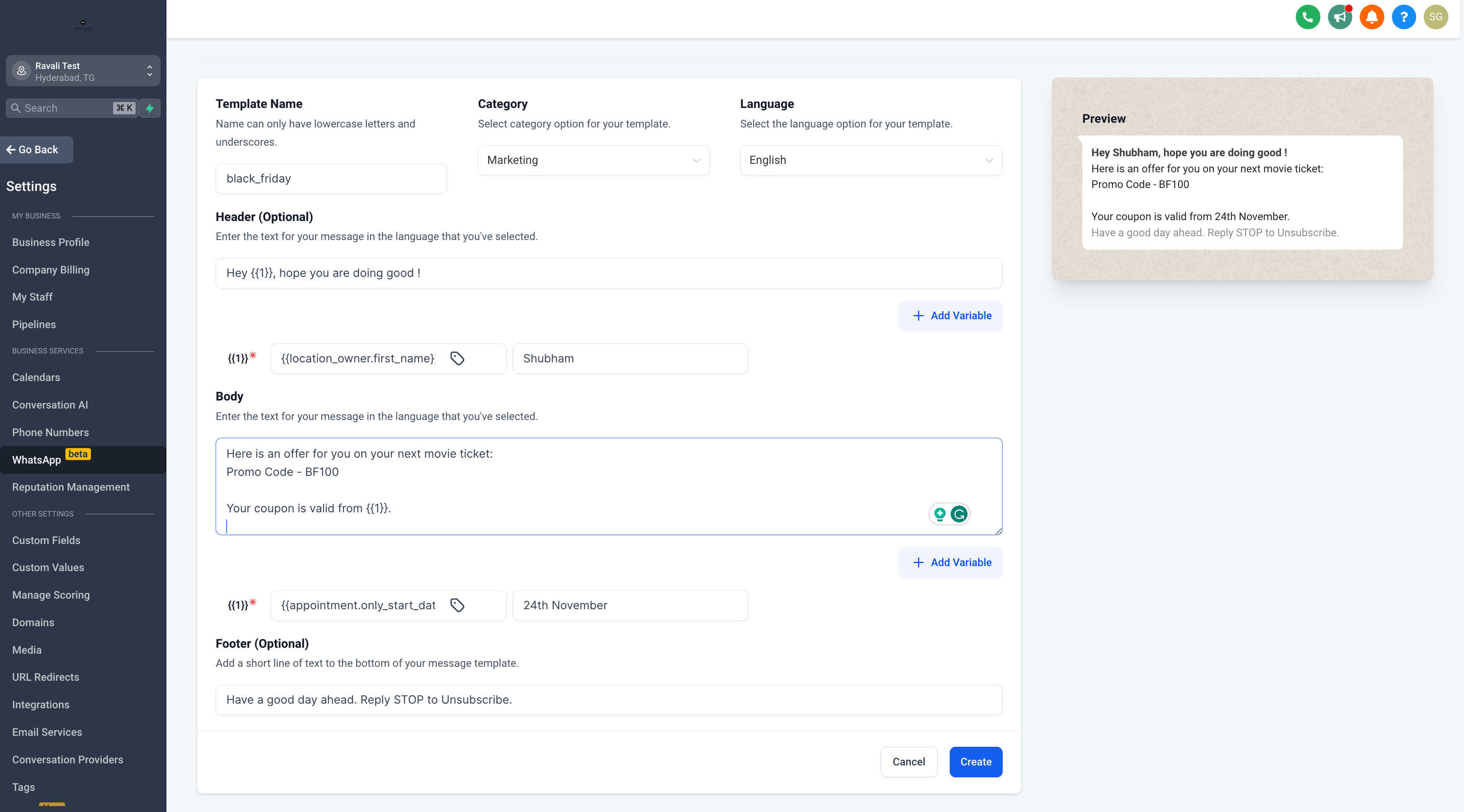
How to create Templates
: Sub-Account Settings -> WhatsApp -> Templates -> Create Template
📝
Note -
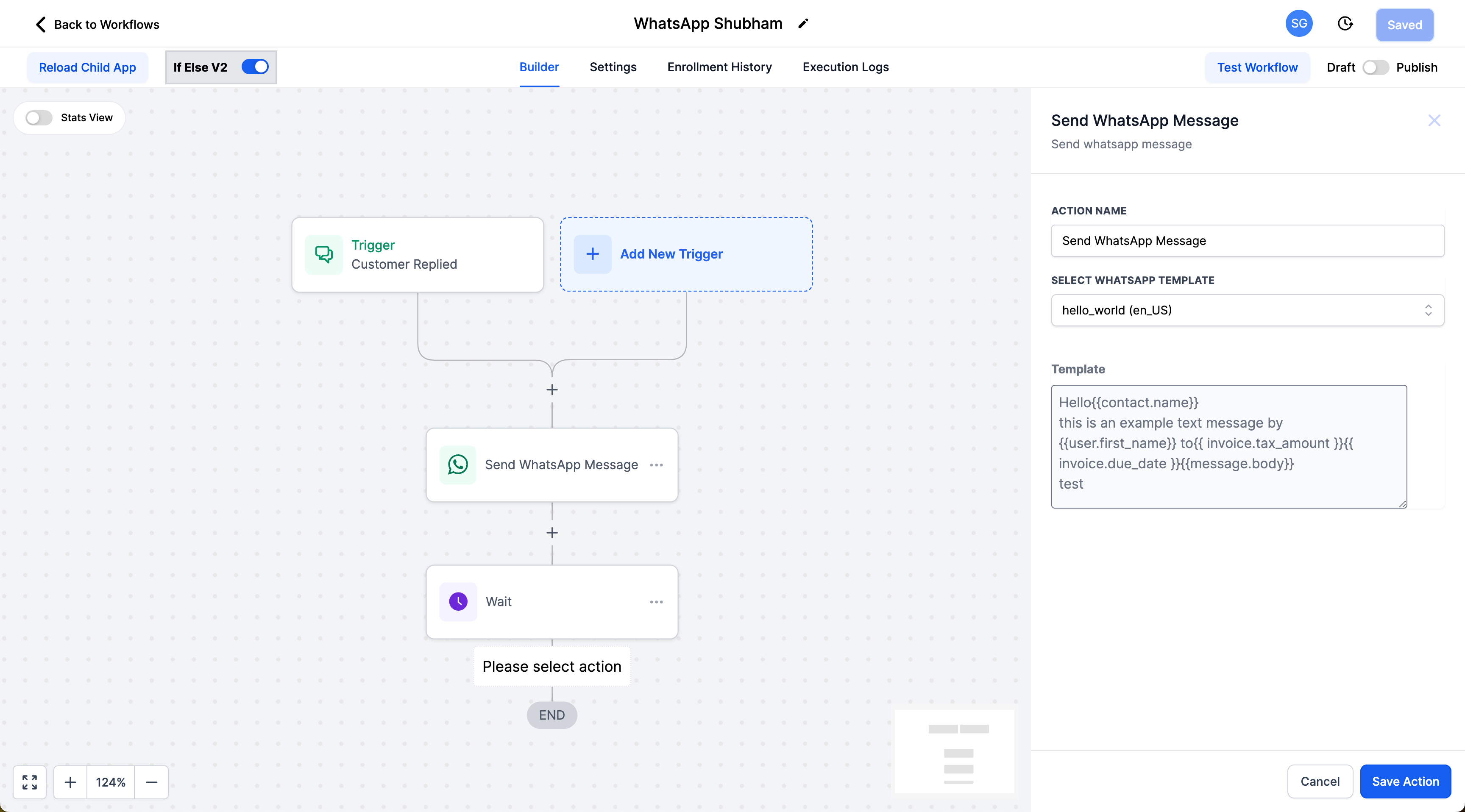
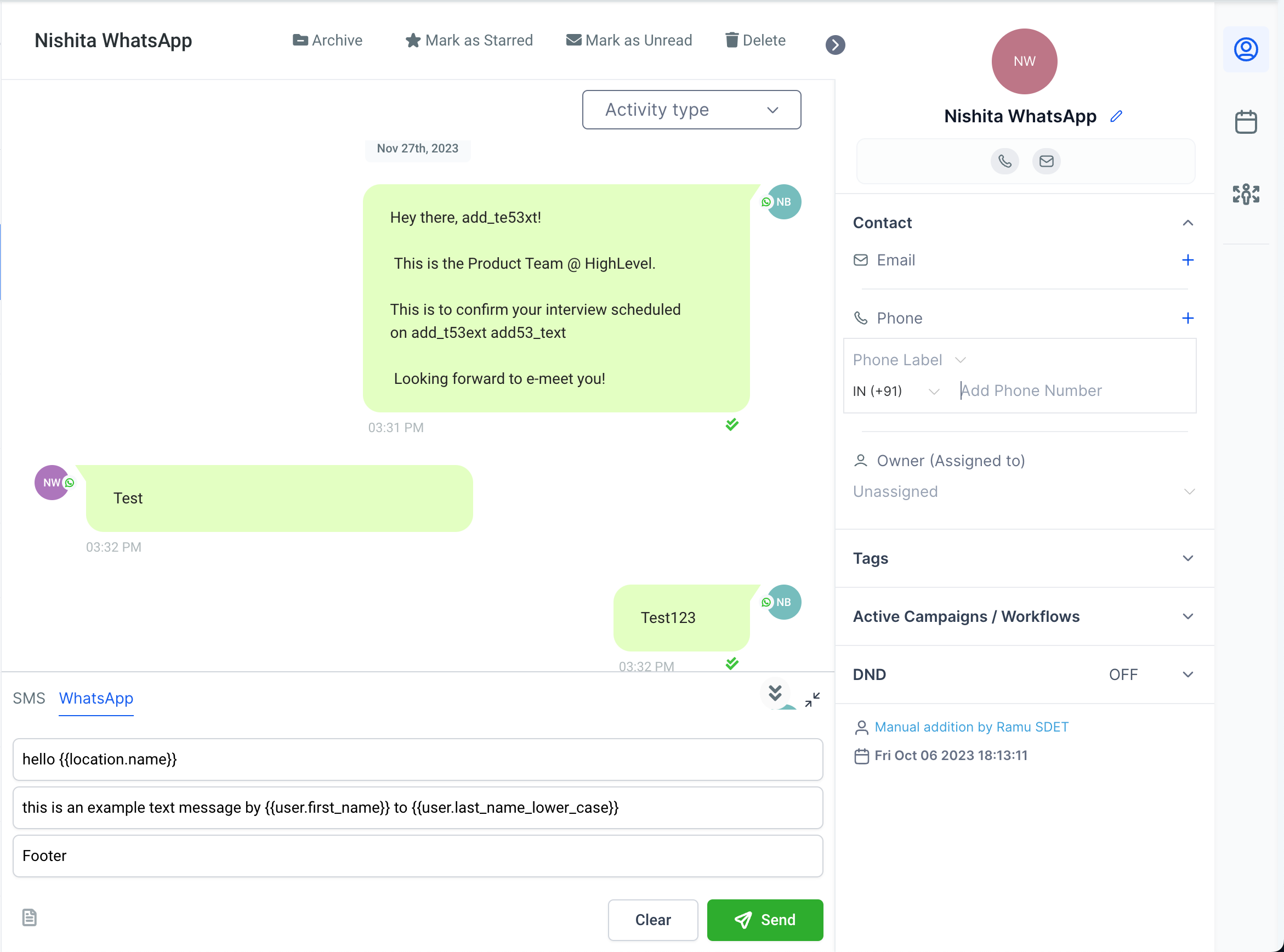
All the existing templates will need to edit and re link the custom variables, this will re trigger the verification flow with Meta.Custom variable templates will be available for use inside the WorkFlow Actions and on Conversations page too.
📚 Explore more about WhatsApp Full Setup Guide for Agency 👈