
new
improved
Reporting
Dashboard
Sub Account Dashboards: Interlinked Properties
👀 What’s New?
Introducing interlinked properties! (Stage filter in opportunities module)
👷 How It Works:
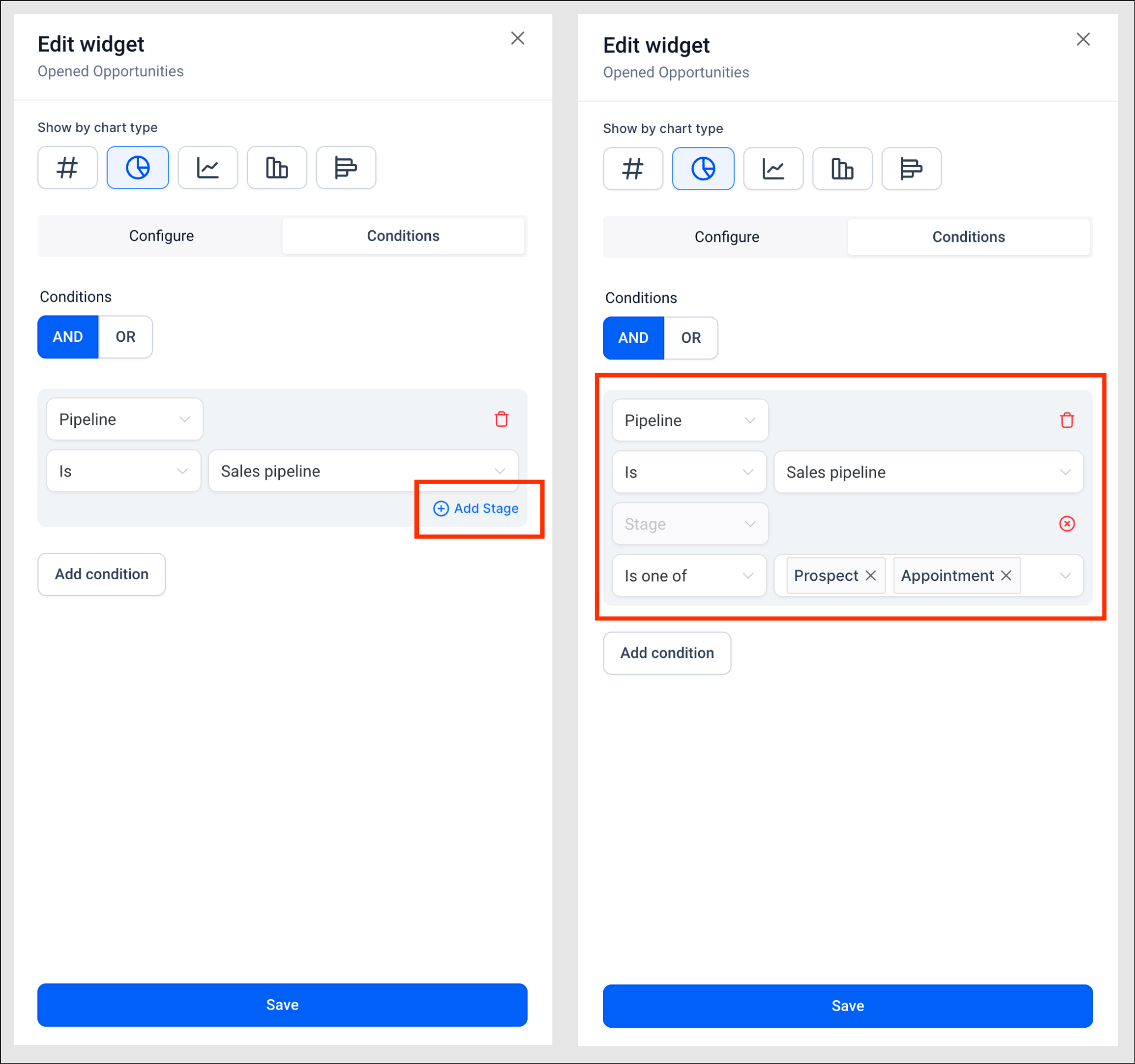
Now you can customize your widgets using interlinked properties. For example, you can choose a Pipeline and then select the Stage(s) within that pipeline. Here, Pipelines and Stages are interlinked, as Stages exist only under specific Pipelines. To utilize this feature:
- Go to the widget.
- Navigate to the condition tab.
- Select a Pipeline.
- Click on the blue "Add Stage" button.
- Choose the desired filter and Stages according to your requirements.
- Additionally, Group by and View by drop-downs now have a Stage option as well.
🌟 Why it Matters:
This enhancement empowers users to analyze and gain insights into stages within different pipelines, facilitating deeper insights.
🚀 Important Notes:
Stages can only be selected for an individual pipeline to display relevant data and maintain data consistency.