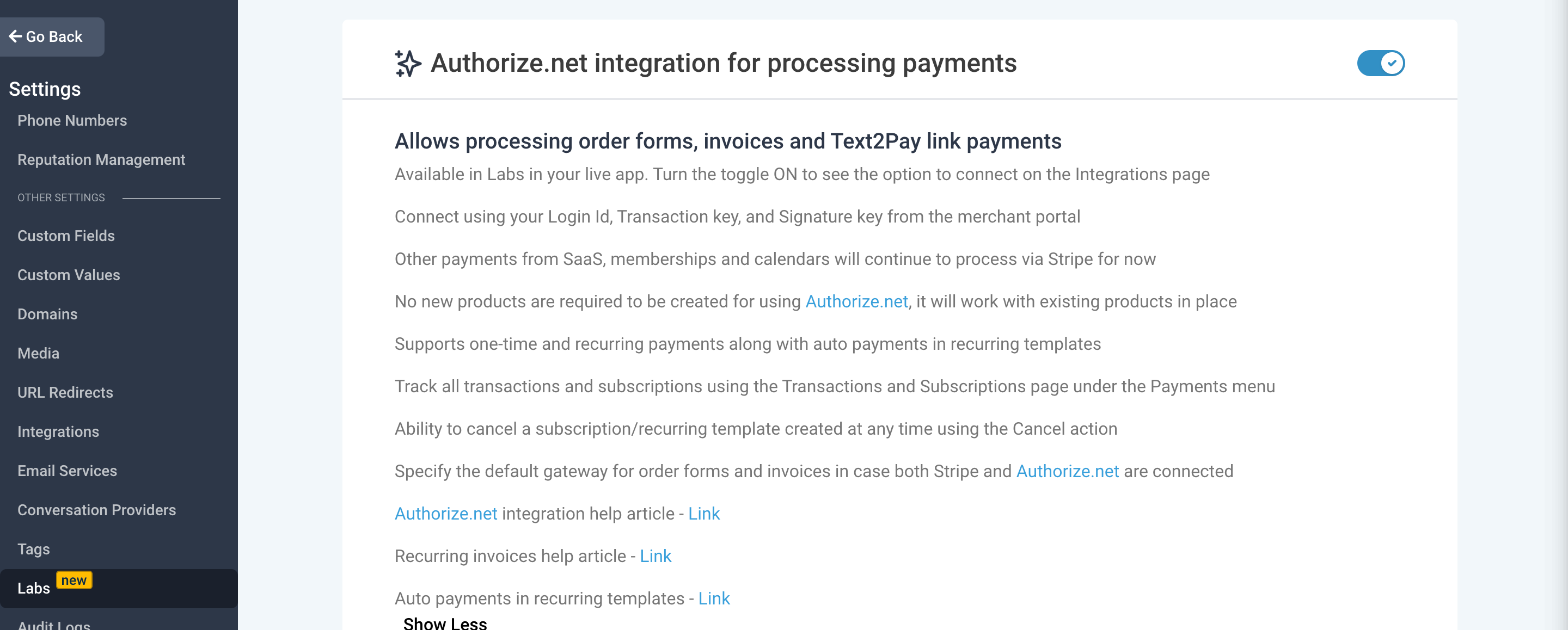
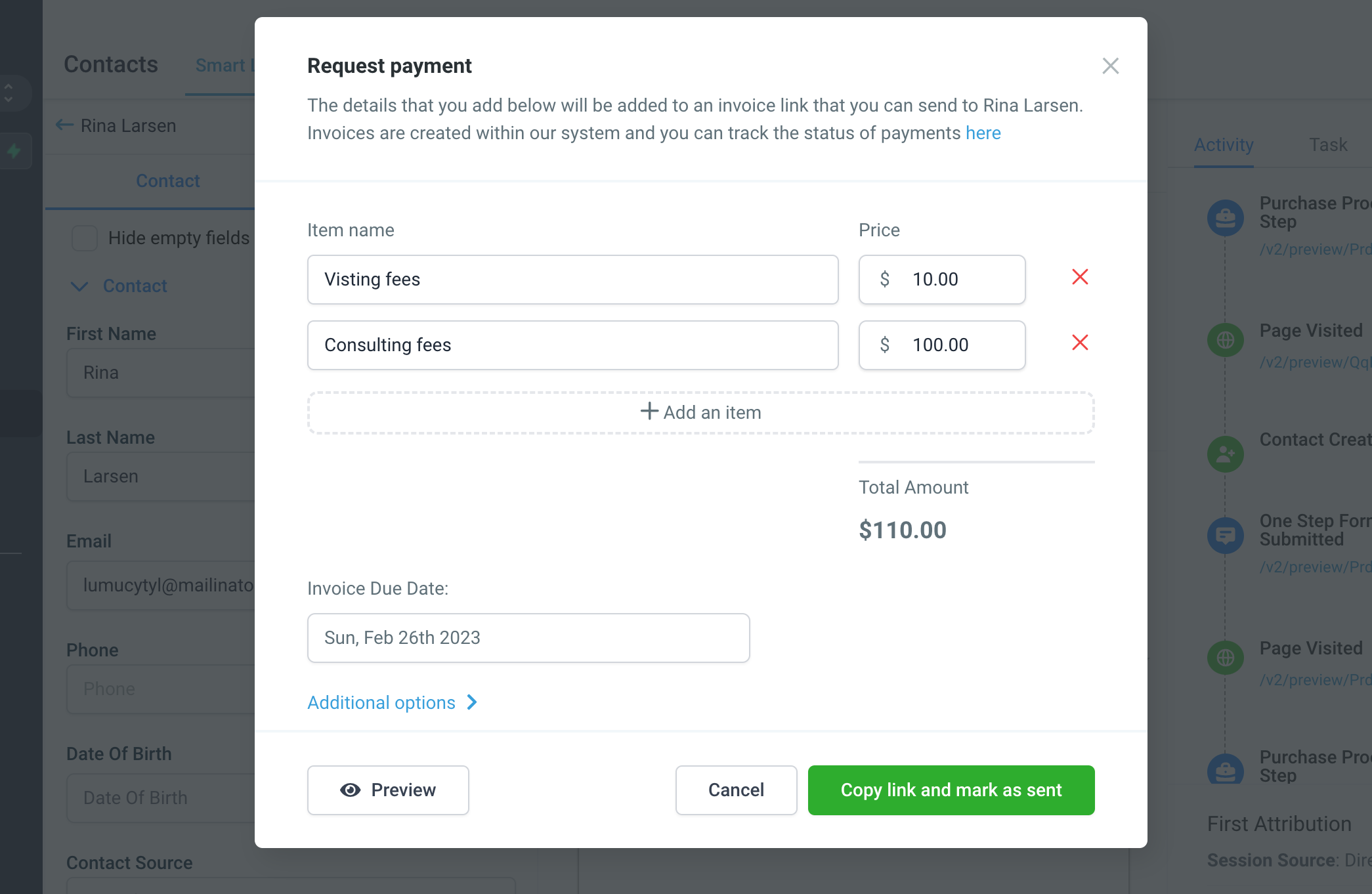
- The ability to request payment by sending an invoice link within Contacts/Conversations is now available with the Authorize.net integration. Sub-account users will only require to turn the toggle on in Labs for processing payments via Authorize.net
- This changes the existing behavior of creating invoices on Stripe. From 23rd February, all invoices created via Tex2Pay links will be created within Payments -> Invoices
- If Authorize.net is not enabled and Stripe is the default gateway, it will still create an invoice within our system not Stripe
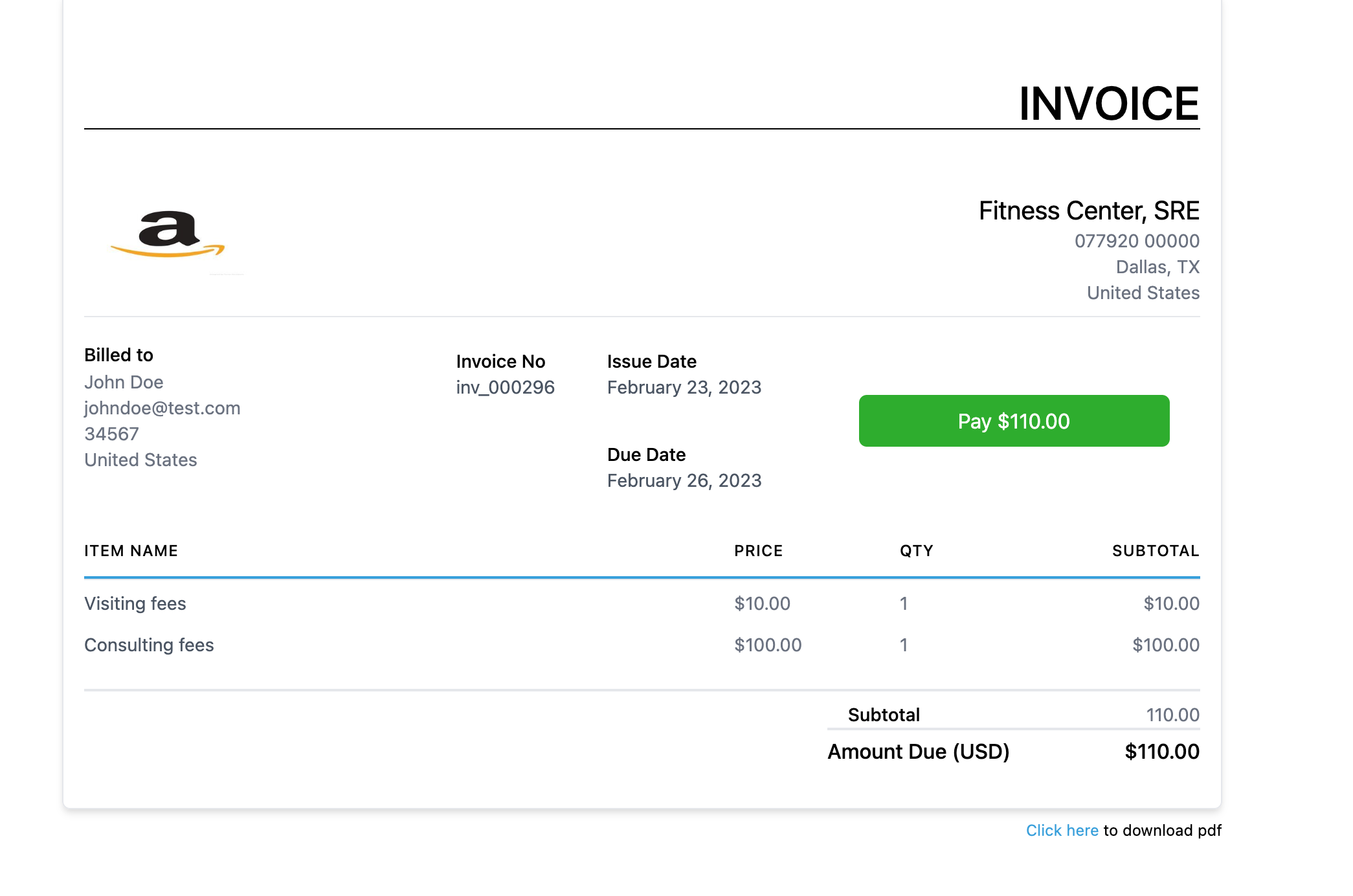
- Allows the ability to preview the invoice before sending the link to your customer
- This will also allow using the Invoice Paid trigger to create automation around receiving a successful payment from the customer
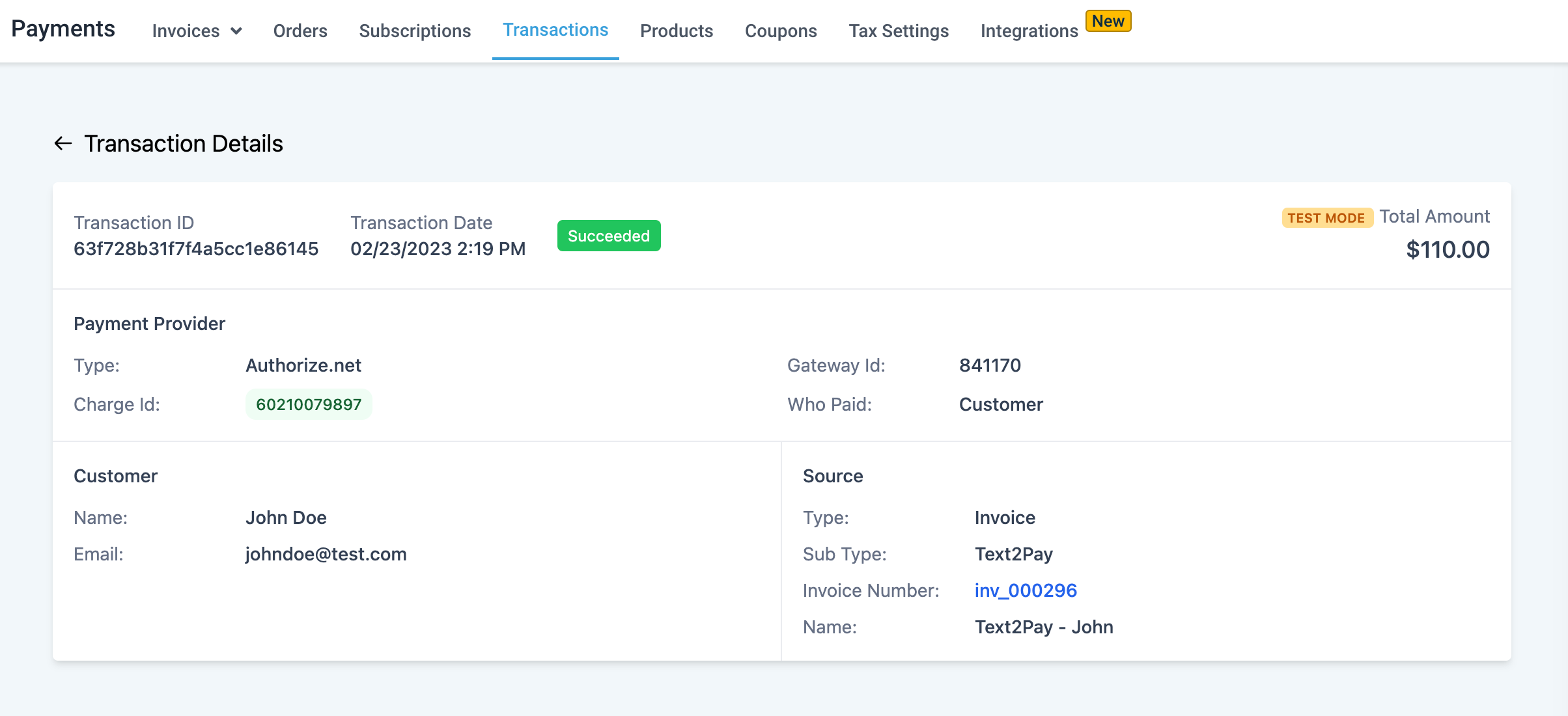
- Track the status of invoice payments under the Invoices and Transactions list in the Payments menu
- Refer to the help article for Authorize.net here - Link