new
improved
Calendar
Multiple Meeting Locations in Calendar
This feature allows you to
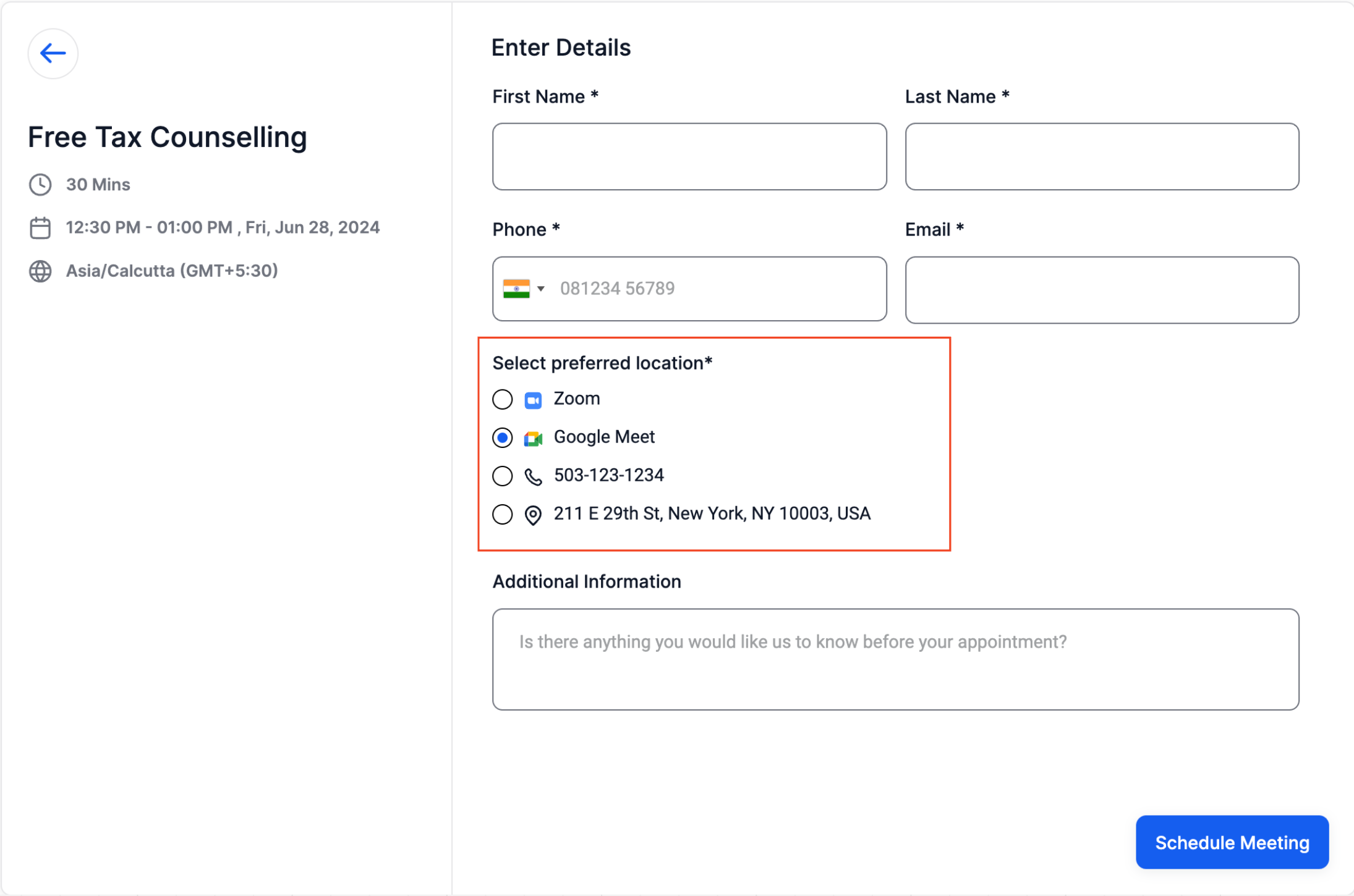
add multiple meeting locations
to your calendar settings. These locations are then displayed on the booking widget, giving bookers
the flexibility to choose
their preferred meeting location.
What's New?
Previously
, only one
meeting location could be configured, and whatever was configured in the calendar settings would be the appointment's meeting location. Bookers did not have any option to choose their preferred meeting location. With this new feature
, you can configure multiple locations, and these locations
are shown on the booking widget
, allowing the booker to choose their preferred location,
which is then used for all future purposes.How to Use?
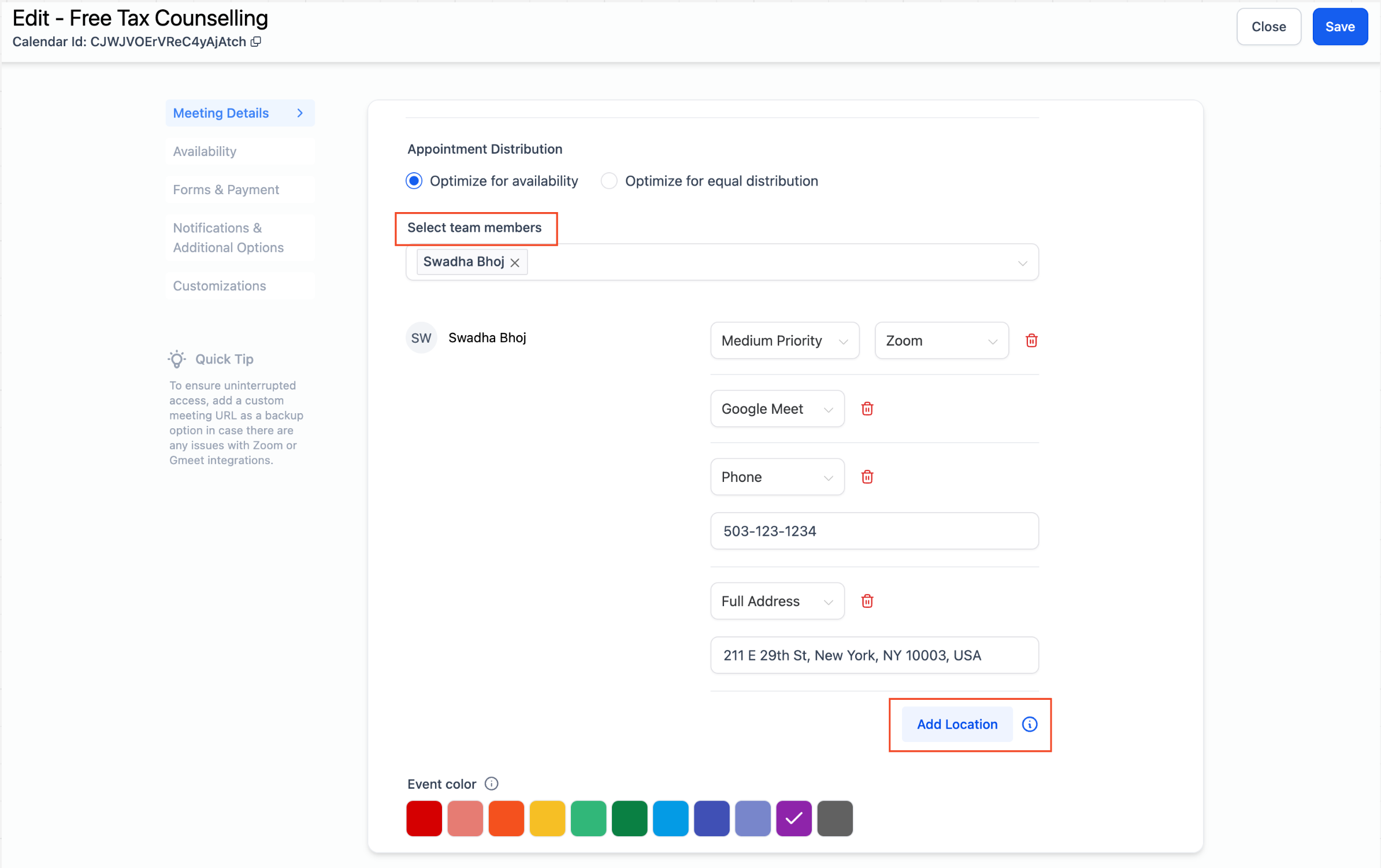
- Navigate to your calendar settings and select the calendar you wish to configure.
- For Event Calendar: Scroll down to the meeting location section.
- For Round Robin Calendar: Scroll down to the team members section.
- Click on the "+Add Location"button.
- Choose and configure your desired locations.
- Once you have added your meeting locations, click on "Save."
Note:
- Multiple meeting locations can only be configured for EventCalendar andRound Robincalendar withone team member.
- This feature is supported only for default formsand will not work with custom forms.
- This feature is supported only for Neo widget.