Users can now seamlessly
shuffle
between team members and dynamically
add them on the fly, providing greater flexibility and efficiency in managing collective
bookings.What's New?
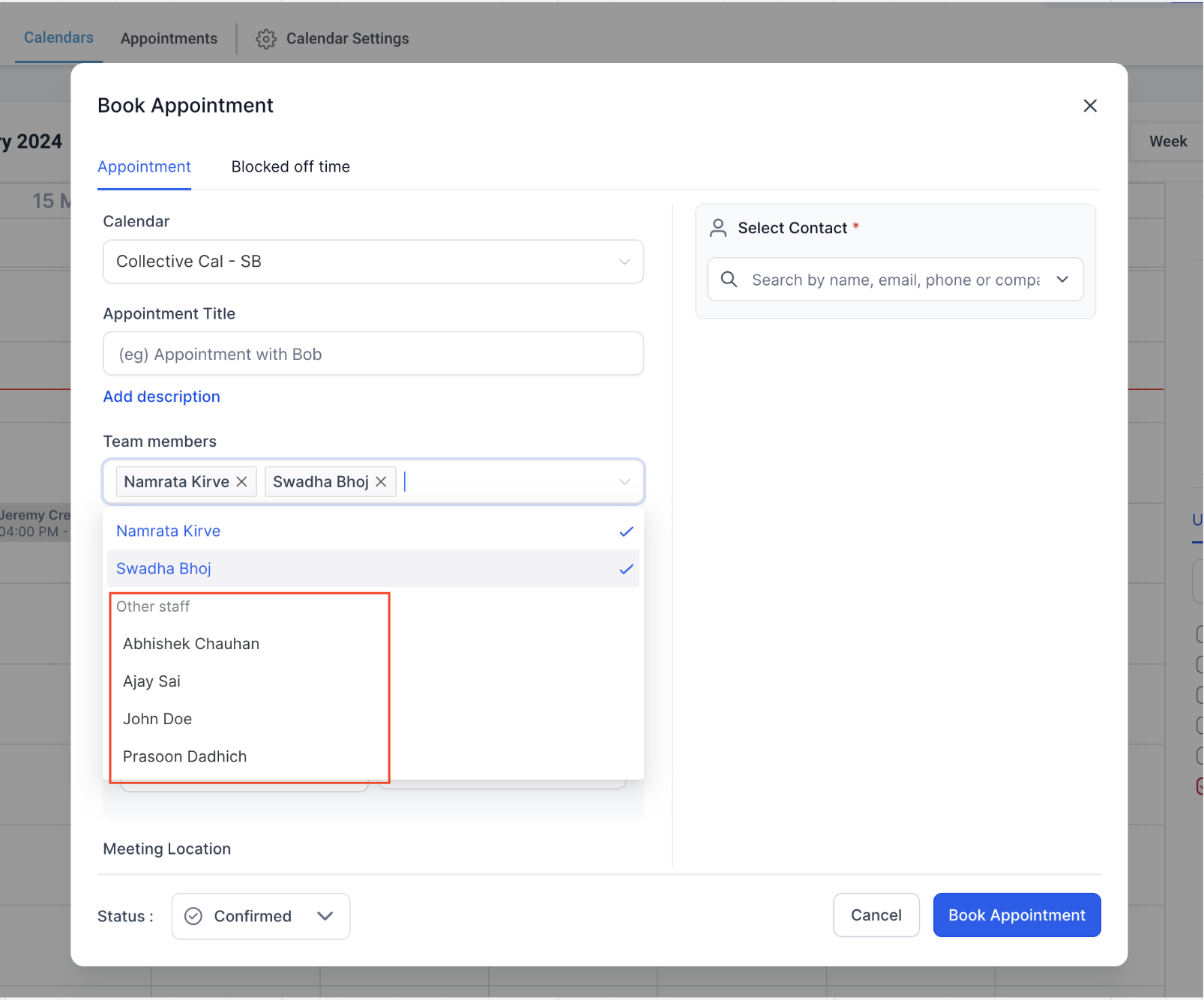
- Dynamic Team Member Selection:Previously, users were limited to choosing team members added to a collective calendar when booking appointments. Now, users canaddany team member from the listdirectlyin the in-app modal.
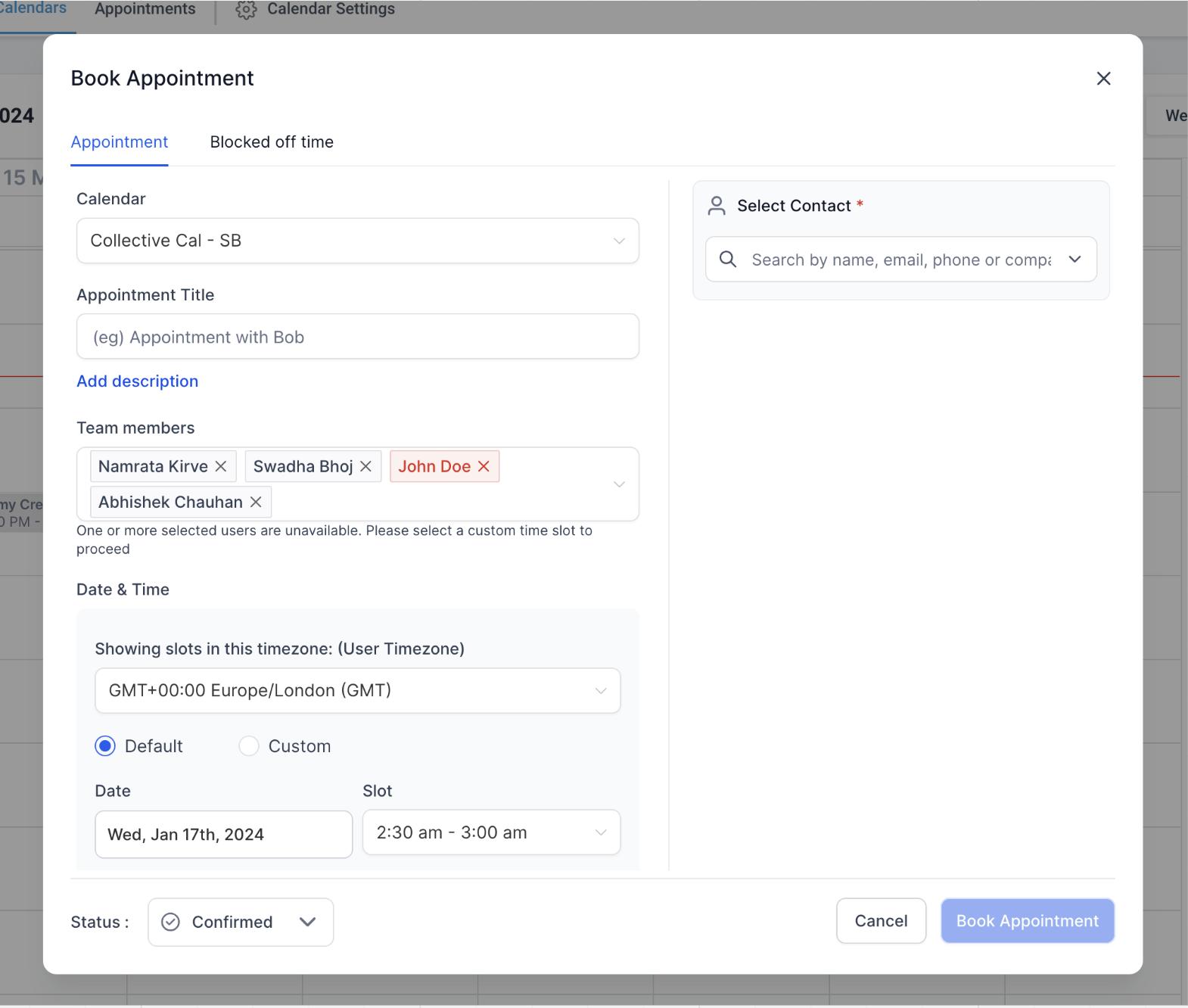
- Flexible Combinations:Users can now createcustomteam membercombinationsfor appointments without the need to pre-configure multiple calendars.
How to Use?
- Navigate to the appointment bookingmodal and select the desiredcollectivebooking calendar.
- Click on the users dropdown and choose one or more team membersto add to the appointment.
- If a selected team member is unavailable, the system willnotifyyou. You can then switch the user or add acustomtime slot.
- The firstteam member added to the appointment will be designated as theappointmentowner. If this user was not originally part of the calendar, you have the option to assign a custom location for enhanced flexibility.