new
improved
Calendar
Calendar Availability for Service Calendars
This enhancement empowers users to
configure availability
for service calendars. Now, in addition to staff availability, the system will also consider calendar availability
when determining free slots.What's New?
- Previously, service calendars only checked the availability of staff members when determining available slots, creating constraints for businesses.
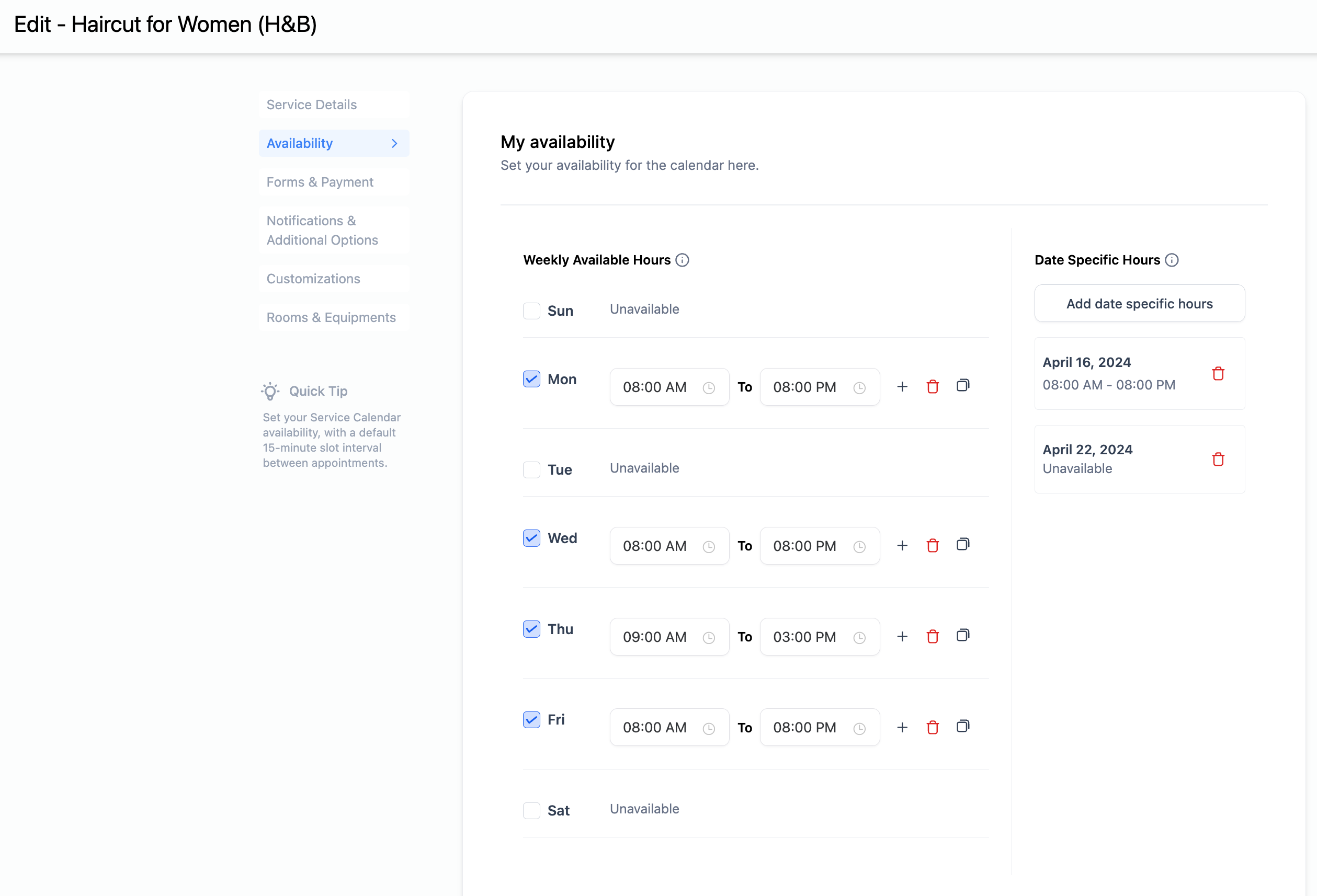
- With this enhancement, we've introduced Calendar Availability, allowing users to set up their service calendars' availability similartoother calendartypes.
- Now, users can configureweekly working hoursanddate-specific hoursfor their service calendars.
- When calculating available slots, boththe configuredcalendaravailability and thestaff member's availabilitywill be considered.
How to Use?
- Navigate to calendar settings.
- Select your service calendar or create a new one.
- Access the availability settings.
- Configure your weekly working hours and/or date-specific hours.
- Click on save.