
👀 What’s New?
Users can now easily
review, map, and duplicate Facebook Lead Forms
directly from the Lead Form dropdown while setting up Lead Generation campaigns inside HighLevel Ad Manager.👷 How It Works:
- While creating or editing a Lead Generation campaign, go to the “Select a Lead Form” dropdown.
- Click the Pencil/Edit icon(tooltip: Map Fields / Duplicate Form) beside any form.

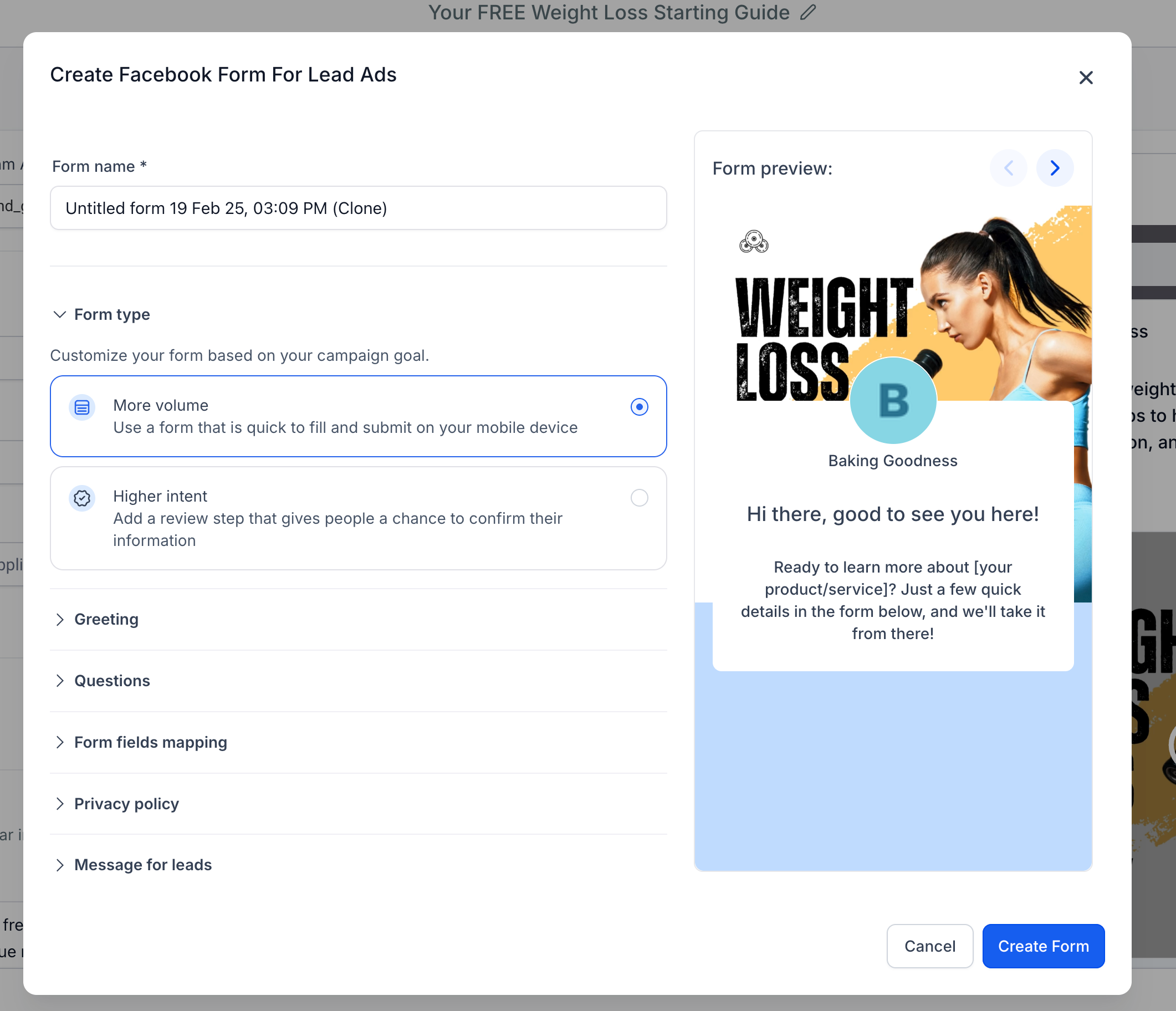
- A modal opensshowing a preview of the lead form along with theform field mappingsection.
- If the form is not mapped yet, users can perform the mapping here.
- If the form is already mapped, users can view or update the mapping to align CRM fields with the Lead Form fields.

- A new "Duplicate Form"button is added to the bottom left of this modal.
- On clicking it, the view transitions to a copy of the existing lead formwith all fields pre-filled.
- The user can make edits and create a new lead form seamlessly.
Additional Improvement:
- If a selected lead form is not mapped, users will now see a message below the dropdown:"Form fields of the selected form are not mapped, map now."
- Clicking “map now” opens the review modal directly, allowing users to complete the field mapping for successful lead syncing.

⭐ Why it Matters:
- Simplifies lead form management by allowing users to preview and re-useexisting forms.
- Avoids duplication of effort and ensures consistent mappingbetween Facebook and CRM fields.
- Prevents campaign errors by proactively notifying users about unmapped forms and providing a clear path to resolution.
- Makes it easy for users to clone existing successful forms, improving speed-to-launch for new campaigns.
📝 Notes:
- Only Facebook Lead Formsare supported in this flow.
- Ensure field mapping is complete to avoid lead sync issues.
- The duplicated form retains all fields but can be customised before saving.