
Changelog
Follow up on the latest improvements and updates.
RSS
new
Forms
Surveys
Zero-Dollar Checkout for Sell Products - Forms & Surveys
💳
Skip the Credit Card on $0 Orders
Selling through Forms and Surveys is great—but asking someone for their credit card when the order comes to nothing isn't. We've introduced a new Require Credit Card setting on the Sell Products element, so free orders can be completed without any card entry at all.
✨
What's New
A new
Require card for $0 orders
toggle is now available on the Sell Products element in:- Forms
- Surveys
When turned OFF, a product order that
totals $0
with nothing recurring due will hide the payment fields entirely
and complete as a free checkout.
⭐️
Key Highlights
- 💳 New Require card for $0 orderstoggle on the Sell Products element

- 🎉 Payment fields are hidden automatically when a product order totals $0
- 🏷️ Works for coupon-driven zero too - a 100% discount hides the card as soon as the total reaches $0
- 🔀 For Forms and Surveys embedded in a Funnel, the Funnel-level Require Credit Card setting takes precedence over the element setting
- 🔒 Subscriptions, free trials, and any order with a recurring amount still require a card
- 🛡️ Fails safe - if a total can't be confirmed as $0, the card is always shown and payment is collected as normal
- 🧾 Free orders are still created and recorded, so submissions and order history stay complete
- ☑️ Existing Forms and Surveys continue to work exactly as before
- 💻 📱 Fully supported across desktop and mobile experiences
⚙️
How It Works
- Add or open a Sell Products element in your Form or Survey.
- Turn Require card for $0 orders.
- When a customer's product selection totals $0with nothing recurring due, thepayment fields are hiddenand the order completes without card entry.
- For Forms and Surveys embedded in a Funnel, the Funnel's Require Credit Card settingis used instead of the element setting.
- If the toggle is left ON, card collection behaves exactly as it does today.
📋
Notes
- The setting defaults to ON, so nothing changes for existing Forms and Surveys unless you choose to turn it off.
- Donation and custom-amount payment types are out of scope—their behavior is unchanged.
- Subscriptions and free trials always require a card, even when nothing is due today, because a card is needed for the future charge.
- Card collection is never skipped on a total that can't be confirmed as $0—this includes a pricing summary that fails to load, or a customer submitting while their totals are still updating after a product, variant, coupon, or order bump change.
- Also improved in this release: the payment element no longer briefly appears and disappears on $0 orders, card details entered on paid orders are preserved when changing quantity or applying a coupon, and Surveys embedded in Funnels now receive Funnel context correctly.
Free and paid offers can now live in the same Form or Survey without asking customers for card details they shouldn't need to give. 🎉
improved
Client Portal
Client Portal — One Portal. Zero Tab-Hopping
One login. One navigation. One seamless experience.
Moving between Client Portal, Courses, and Communities used to feel like switching between separate products — different tabs, different navigation, constant re-orienting. We rebuilt it. Dashboard, Courses, Communities, Billing, Shared Files, Affiliates, and Account Settings now live inside one connected, branded customer home, rebuilt on a shared, modern architecture. This release also ships the new Communities UI as part of the unified experience.

🧱 The Biggest Unlock: One Foundation for Every Membership Product
This rewrite isn't just a new Client Portal — it's the shared foundation that finally puts GoKollab, Communities, Courses, and Client Portal on the same modern architecture. Features and UX flows that used to stop at product boundaries now work seamlessly across all of them. Cross-product journeys get dramatically simpler, and every future membership capability can be built once and work everywhere. This is the groundwork that makes the deeper, connected experiences on our roadmap possible.
🔀 From Fragmented to Connected
Before:
Disconnected apps, repeated context switching, and inconsistent navigation — more time spent figuring out where to go next.After:
One unified experience with smooth movement between Courses, Communities, Client Portal, billing, files, and account settings. No more tab maze. No more starting over between sections.

A Dashboard That Works as a Real Launchpad
The redesigned Dashboard gives customers an immediate overview of everything that matters to them, including:
- Courses in progress
- Community memberships and activity
- Pending invoices
- Recently shared files
- Pinned communities
- Quick access to frequently used areas
Instead of acting as a simple landing page, the Dashboard now helps customers immediately continue their journey.
Business Tools in the Same Experience
Customers can now access important business interactions without leaving the portal.
Invoices

Estimates

Contracts

Shared Files

Affiliates

✨A Redesigned Communities Experience
The new Communities UI is now part of the unified Client Portal experience.
Members can move between discussions, learning content, events, leaderboards, member directories, and community information without switching products or opening another application.
Community branding, channels, posts, featured content, member information, and engagement tools are now presented through a cleaner and more consistent interface


✨A More Connected Course Experience
Courses now feel like a natural extension of the Client Portal rather than a separate destination.
Customers can discover courses, continue learning, view progress, access course content, and move between lessons while remaining inside the same branded experience


✨ What Customers Will Notice
🚀 A genuinely usable home
The redesigned Dashboard turns the Client Portal home into a real launchpad. Courses in progress, Continue Watching, Community activity, billing, and files surface right where customers expect them — so the first screen they land on immediately gets them where they want to go.
🔄 Smoother app switching
Move naturally between Courses, Communities, Dashboard, billing, and shared files. It all feels like one journey, not products stitched together.
⚡ Faster performance
Faster page loads and snappier transitions across desktop and mobile. On the new dashboard, content loads in ~0.4s and becomes interactive roughly a second sooner than before.
💎 A more premium feel
Smooth page-change animations make moving between sections feel polished and intentional, not jarring.
🔍 Easier content discovery
The redesigned dashboard and unified nav surface Courses in progress, Community activity, Continue Watching, Pinned Communities, billing items, and shared files at a glance.
🎨 One consistent brand experience
From a redesigned login through Courses, Communities, billing, and files, your brand stays front and center.
📈 Built for SEO and discoverability
Eligible public Course and Community pages are now SEO-ready, with search-friendly rendering, crawlable URLs, and page metadata. New public pages score 92–100 on Lighthouse SEO vs 75–85 on legacy. This helps businesses expand their reach, attract new audiences to their content, and turn public pages into a growth channel. Private, gated, and customer-only content stays protected.
improved
Payments
Invoicing
Xero Sync - Smarter Sync Control Is Here
Sync only the contacts you want, exactly where they belong.
Connecting Xero to HighLevel now gives you full control over which contacts sync in — and where they land. Stop unwanted vendors and suppliers from cluttering your CRM.
The Challenge
When you connected Xero, every active contact came in automatically — no filtering, no choice. Vendors, suppliers, and contacts you never needed flooded your GHL contact list. Worse, suppliers (people you pay) landed in the same list as your actual customers and leads. Your CRM became harder to trust and harder to work with.
✨
Our Solution
Two new settings on your Xero connection screen give you precise control over your contact sync. Choose exactly which contacts come into HighLevel. Then decide where suppliers go — mixed in with contacts, or kept separate as business records. Your existing setup is untouched unless you opt in.
🏆
How This Supercharges Your Business
- Keep your CRM clean: Pull in only the contacts you actually need — customers, a specific group, or everyone. Your call.
- Separate suppliers from leads: Stop suppliers from appearing alongside your customers. Route them to business records instead.
- Work with data you trust: A cleaner contact list means faster outreach, better segmentation, and fewer filtering headaches.
- Zero disruption to existing setups: Both settings default to the original behavior. Nothing changes unless you actively choose to.
🛠️
How to Get Started
- Navigate to Payments → Invoices & Estimates → Accounting Sync.
- Click Manage on your connected Xero account.
- Set "Which contacts to sync" — choose from All Contacts, Only Customers, Only Suppliers, or one or more specific Xero contact groups.
- Set "How suppliers are handled" — choose All to Contacts (default) or Split by type to route suppliers to business records.
- Save your preferences. Your next sync will reflect the new settings.
Good to Know
- Available on web only
- Applies to Xero only — QuickBooks and Wave contact sync settings are not yet configurable
- Both settings default to the original behavior — existing integrations are unaffected until you opt in
- "Split by type" routes suppliers to business records, not the standard contact list
- Contact group filtering requires existing Xero contact groups to be set up on the Xero side first


new
Invoicing
Integrations
Invoices: Xero Integration Now Live!
What’s New?
Xero integration is Now Live!

What this integration does?
- Contact Sync –All Existing, New contacts in Xero auto-sync to HighLevel during initial connection as well as on an ongoing basis. If no first/last name exists within a contact name under user details, contact name is used to update details in HighLevel. Existing HighLevel contacts with the same email/phone are updated with Xero details.
[Future addition on this (12 Sep) : Contact syncing with ability to select which contact groups to import from Xero → HighLevel - Currently all contacts (including suppliers etc) within Xero are synced ]
- Invoices (One-Way Sync)– Create invoices in HighLevel → they appear in Xero instantly, with name, number, taxes, and real-time payment statuses kept in sync.
- Tax Mapping –Match HighLevel tax rates with Xero’s (even multi-component taxes) for accurate compliance and reporting.
- Accounts Visibility –Only accounts with payments enabled (excluding Bank Accounts) are available for sync.
How to Use?
- Go to a sub-account in HighLevel.
- Navigate to Settings → Integrations → Xero → Connect.

- Enter your credentials.

- Connect your organization and select a chart of accounts.

- If chart of accounts isn’t visible, enable payments in Xero Chart of account settings (see “Unable to find?” option).

- Map taxes to ensure accurate reporting - Only matching tax rates can be mapped to each other

- Inactivity handling:
- If no activity for 60 days → integration disconnects automatically and you’ll receive an email.

- If an invoice fails to sync → you’ll receive an email alert.

Why We Built It?
To remove duplicate work and errors in financial workflows. This ensures your CRM and accounting remain fully in sync, saving time while keeping compliance and reporting accurate.
Coming Soon
➡️ Contact syncing with ability to select which contact groups to import from Xero → HighLevel.
➡️ Receipt syncing from Xero → HighLevel.
new
Forms
Surveys
Quizzes
True Zero Padding Support for Forms, Surveys & Quizzes
What's New
We’ve introduced support for 0 top and bottom padding across forms, surveys, and quizzes. Previously, extra padding was automatically added, which prevented a true "zero padding" layout. With this update, you now have full control over vertical spacing, enabling cleaner and more precise designs.


Key Highlights
True 0 Padding Support
– No more forced spacing at the top and bottom.Pixel-Perfect Layouts
– Create tighter, sharper, and more modern designs without unwanted whitespace.Flexible Customization
– Set padding exactly as you need it—whether it’s zero or more, the choice is fully yours.How It Works
- Go to the form/survey/quiz builder.
- Navigate to Styles → Layout → Padding.
- Set the Top and/or Bottom padding to 0px.
- Preview and publish—your design will now render with true zero spacing.


Notes
- Applies to forms, surveys, and quizzes across all layouts.
- If you already had padding set to 0, your current forms, surveys, and quizzes will look exactly the same as before. You can go to the builder and set padding to 0 again in case you want to update them to true zero.
new
improved
Automations
GPT Action Now Available at Zero Markup Pricing
You asked and we have delivered..!!
We've transformed GPT Action pricing to deliver complete transparency and significant cost savings. You now pay exactly what OpenAI charges with zero markup.
What's Changed?
Before:
Fixed Per Execution PricingNow:
Token Based Zero Markup Pricing You're charged based on:- Input tokens consumed
- Output tokens generated
- Model selected
This means you pay OpenAI's exact rates with nothing more, nothing less.
Real Impact: More Value for Your Money
What $10 Gets You:
GPT-4o:
- Process approximately 3 million input words OR
- Generate approximately 750,000 output words
GPT-4o Mini:
- Process approximately 50 million input words OR
- Generate approximately 12.5 million output words
Note: Actual usage combines both input and output tokens
Why We Made This Change
- You asked, we delivered: All external AI models will be at Rack Pricing
- Simplicity: Straightforward token based pricing makes budgeting easier
What This Means for You
- Immediate cost reduction on all workflows using GPT action
- Complete transparency: see exactly what you're paying for
- Scale confidently: costs scale linearly with usage
- No hidden fees: if OpenAI charges it, that's what you pay
Re-Billing
- No changes in the re-bililng. You can still re-bill the action.
- Re-Billing is available under External AI Models category
Get Started
- This pricing is already live for all accounts. Your existing GPT Actions are automatically benefiting from the new pricing model with no action required.
- With lower costs per execution, there's never been a better time to integrate AI throughout your workflows

improved
Phone System
Call transfers via Deskphone charges reduced to zero
2nd July, 2025
Call transfers via Deskphone charges reduced to zero
Earlier, Call transfers done via the deskphones cost $0.10 per call transfer.
Now, there is no additional cost for the call transfer!
Other call charges still apply.
improved
Invoicing
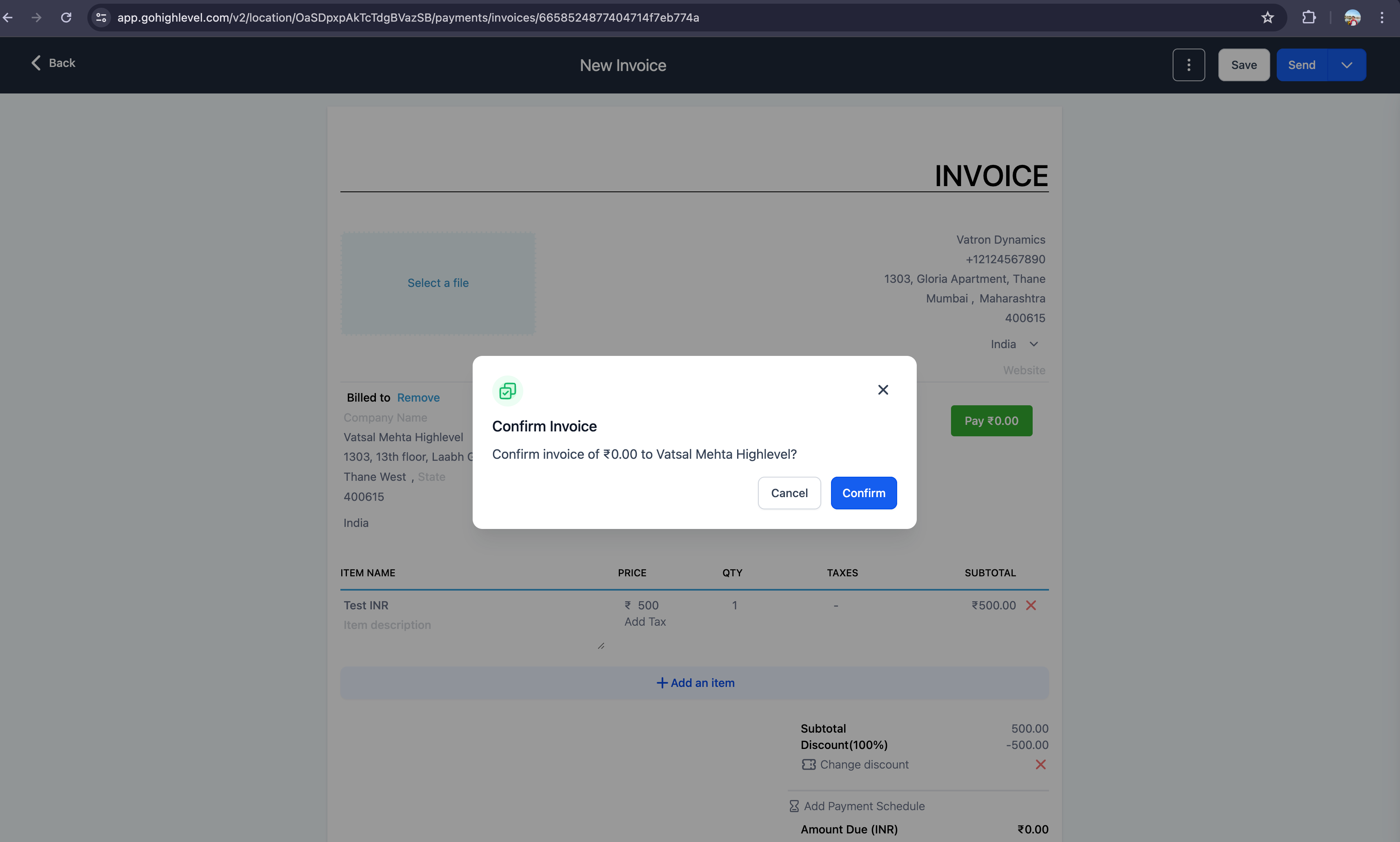
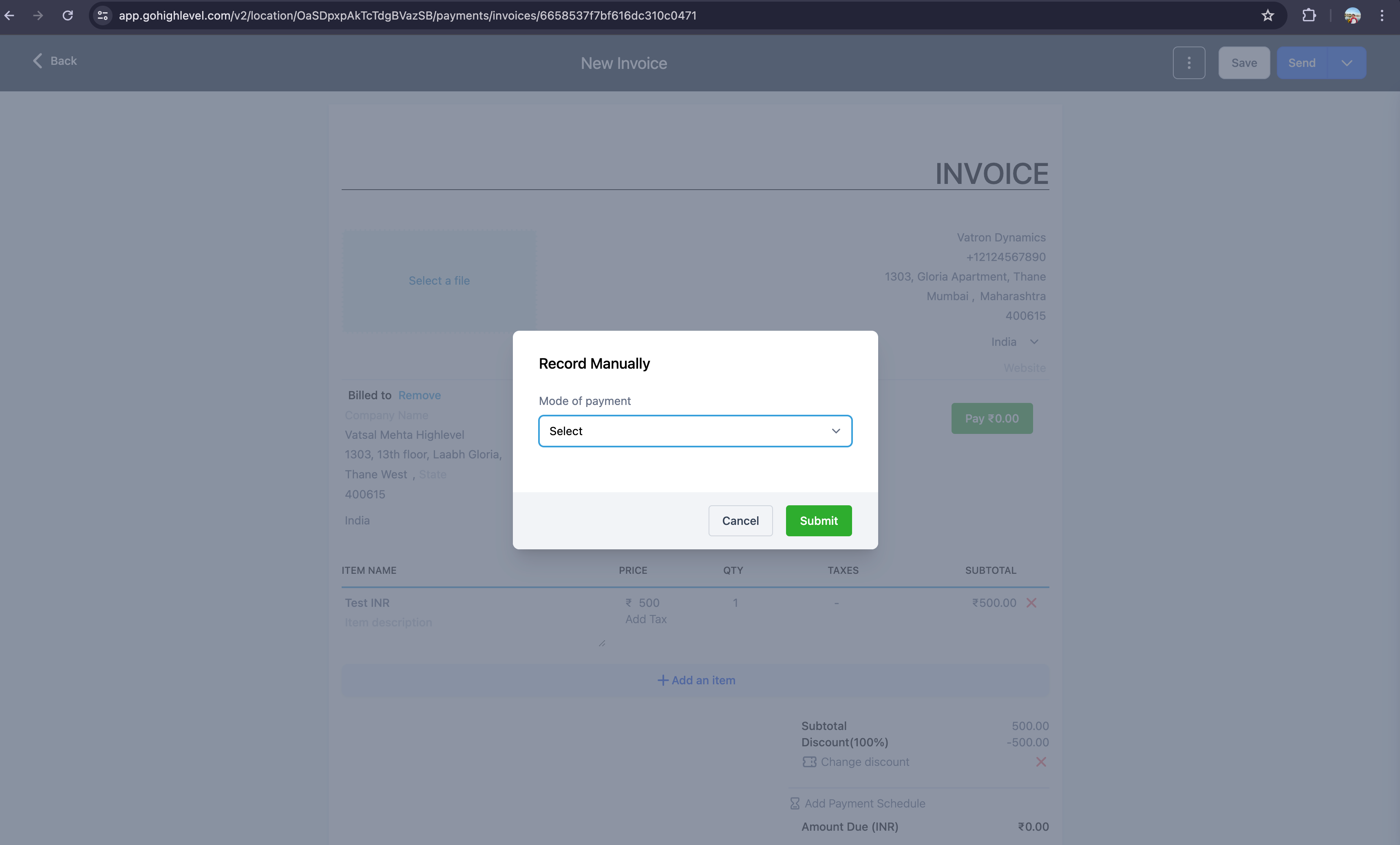
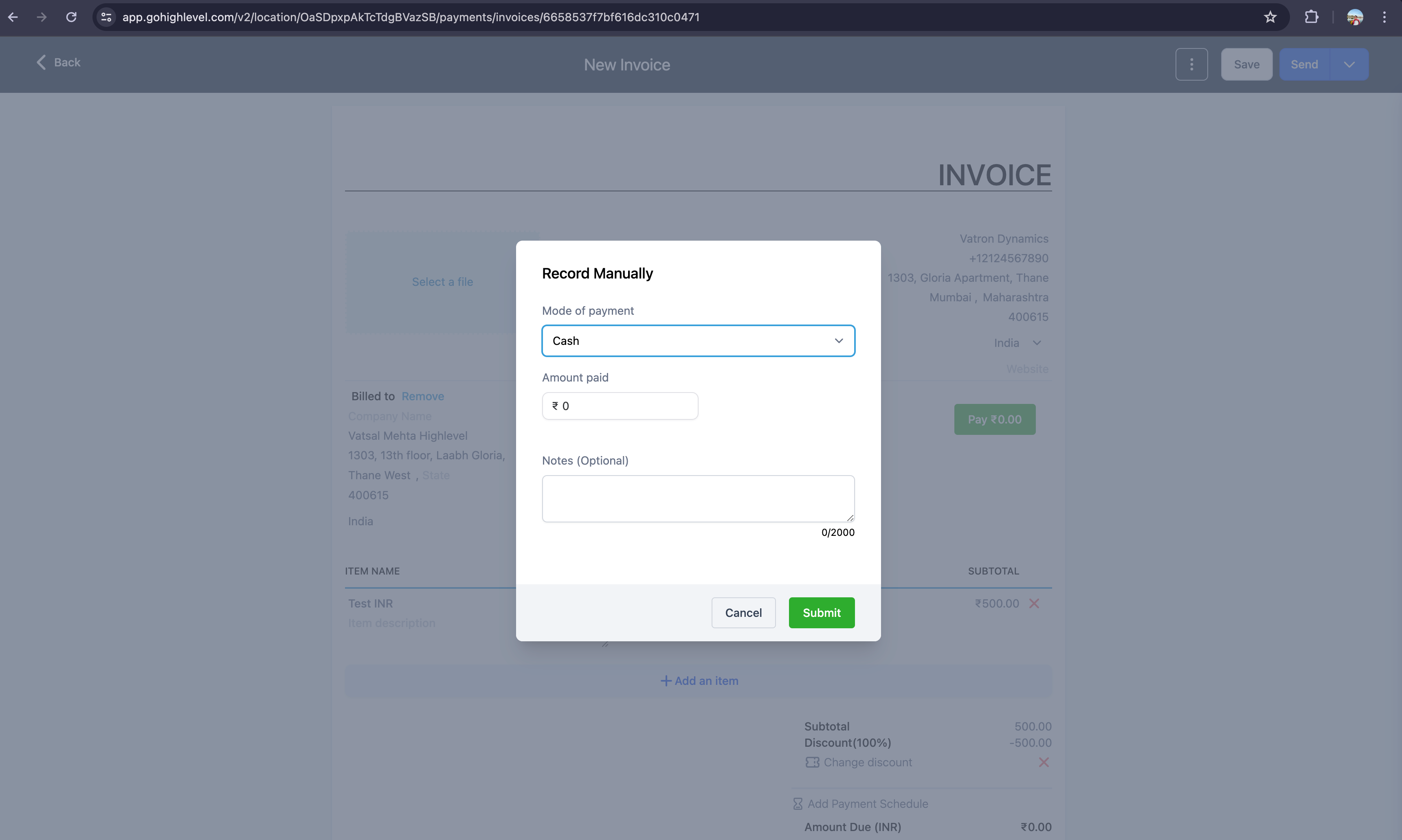
Invoices: Show a different modal for zero amount invoices
- Recently we enabled issuing Invoices with zero amount. We've done a couple of enhancements on the same
- When sending zero amount invoices, collecting email and contact details of payee as well as autopay information (in case of recurring invoice is not required). We decided to create a separate modal with just the payee information for zero amount invoice
- For zero amount invoice, we earlier disabled record payment option. However we have opened it up with just a single Record Payment Manual option for customer who would like to put in notes or any other information while creating such invoice
improved
Invoicing
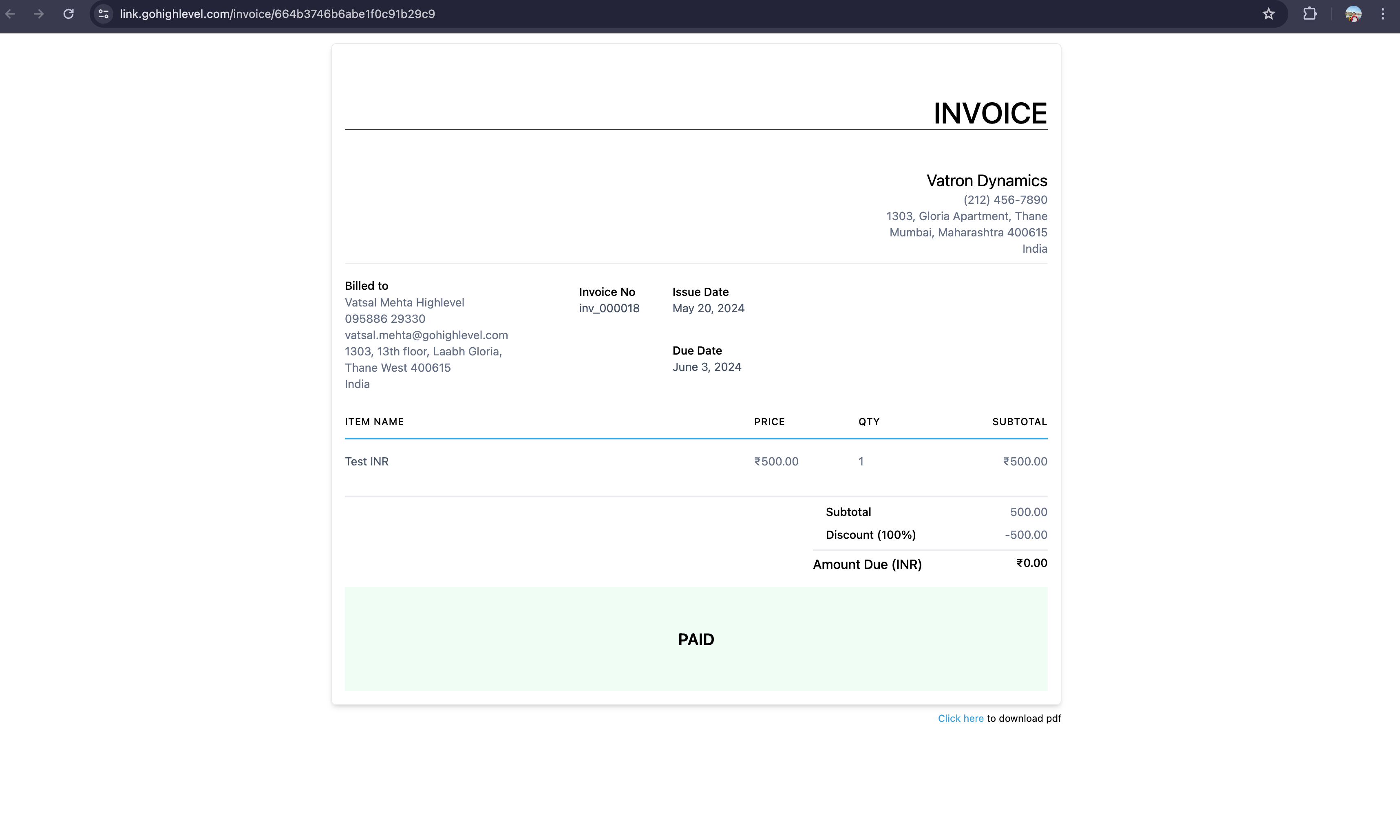
Support for Zero amount Invoices
What's new?
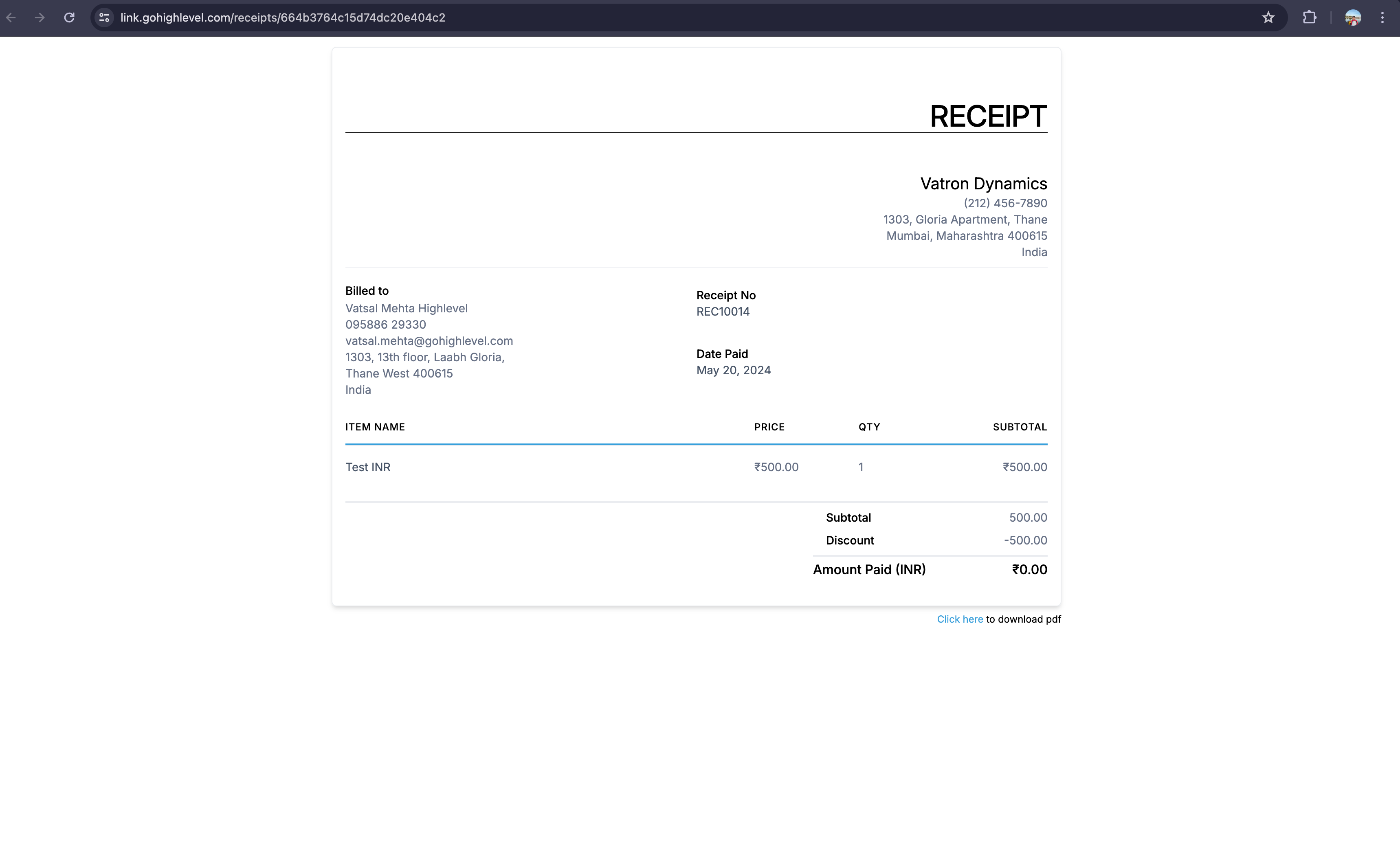
- We have started supporting invoices which will have 0 net payable amount. How to generate them?
- 100% Discounts
- Negative Priced Items
- Zero amount invoices will get generated directly in paid state & Receipts will be generated for them
Why do we need them?
- Compliance & Record Keeping- They help in tracking and documenting all transactions, which is essential for internal audits and financial transparency. In some jurisdictions, businesses might be required to document all transactions, including those where no payments are made
- Marketing & Promotions- Issuing a zero amount invoice for complimentary services or goods provided at no charge can serve as a professional way to acknowledge the transaction, reinforcing customer relationships and ensuring clear communication
- Dispute Resolutions- If a dispute arises regarding the delivery of goods or services, a zero amount invoice serves as proof that the transaction occurred, even though no payment was involved
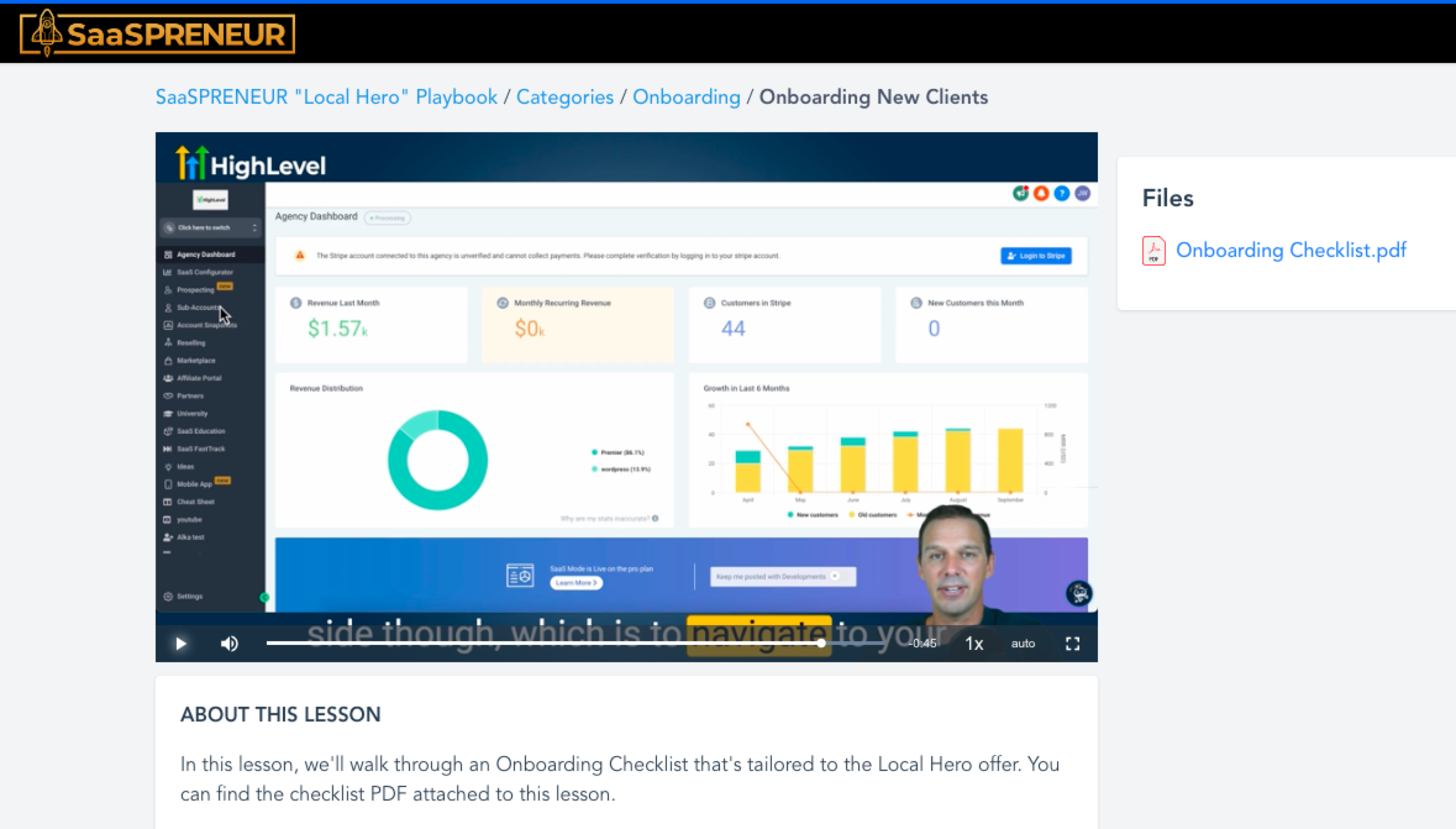
A new Onboarding lesson has been added to the SaaSPRENEUR Local Hero Playbook course to walk users through an onboarding checklist that corresponds with the offer taught in the course. Includes:
- Onboarding Checklist PDF
- Links to relative Help Docs
🛠️ Access instructions for those on $497 plan:
- Log into university.gohighlevel.com in an incognito browser and you should see the new lesson 👍
- If you don't see the lesson or have trouble accessing the course, visit https://speakwith.us/success
Load More
→